
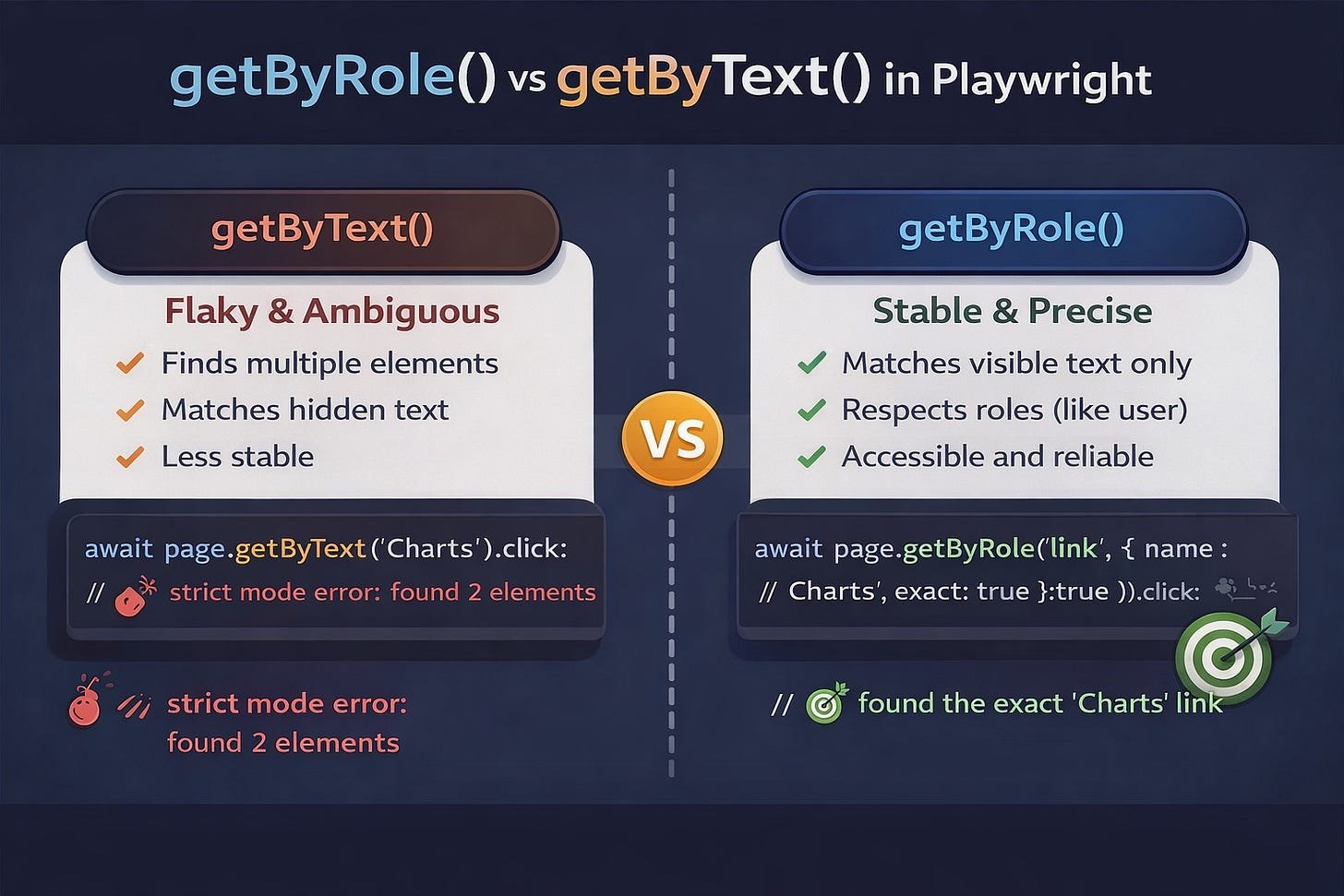
When you start writing Playwright tests, one of the first things you learn is:
await page.getByText(’Login’).click();It feels simple.
It works.
And in the beginning… it’s enough.
But then something happens.
The moment things start breaking
You run your tests again.
And suddenly, you see this:
strict mode violation: getByText(’Login’) resolved to 2 elementsOr worse…
Your test clicks the wrong thing.
Or fails randomly.
Or passes locally but fails in CI.
Nothing changed.
But everything broke.
The real problem isn’t Playwright
It’s how we are selecting elements.
getByText() feels natural because it mimics how we read pages:
“Find something that says Login and click it.”
But the browser doesn’t think like a human.
It sees structure, roles, and accessibility, not just visible text.
And that’s where getByRole() changes everything.
What getByRole() really does
Instead of searching for any element with text, getByRole() searches for elements based on what they are meant to do.
Example:
await page.getByRole(’button’, { name: ‘Login’ }).click();You’re no longer saying:
“Find text ‘Login’ somewhere.”
You’re saying:
“Find the button that the user sees as ‘Login’.”
That’s a completely different level of precision.
Why this matters more than you think
Modern web apps are full of repeated text:
-
“Save”
-
“Submit”
-
“Edit”
-
“Charts”
And getByText() doesn’t know which one you mean.
It might match:
-
hidden elements
-
labels
-
tooltips
-
partial matches (like “Echarts” vs “Charts”)
That’s how flaky tests are born.
A real example
You write:
await page.getByText(’Charts’).click();But your app also has:
-
“Charts”
-
“Echarts”
Now Playwright finds two elements.
And you get:
strict mode violationThe fix
await page.getByRole(’link’, { name: ‘Charts’, exact: true }).click();Now you’re saying:
-
it must be a link
-
it must be named exactly “Charts”
No ambiguity.
No guessing.
No flakiness.
The hidden superpower: accessibility
getByRole() doesn’t just make tests better.
It aligns your tests with how real users interact with your app, including:
-
screen readers
-
keyboard navigation
-
accessibility tools
So when you use:
getByRole(’button’, { name: ‘Submit’ })You’re testing the user experience, not just the DOM.
And that’s a big shift.
Cleaner tests, clearer intent
Compare these two:
await page.locator(’.btn.primary’).nth(2).click();vs
await page.getByRole(’button’, { name: ‘Submit’ }).click();The first one says:
“Click the third button with this CSS class.”
The second one says:
“Click the Submit button.”
One is implementation.
The other is intent.
And tests should always reflect intent.
The senior QA mindset
At some point, you stop asking:
“How do I click this element?”
And start asking:
“How would a user find this?”
That’s when your tests become:
-
more stable
-
easier to read
-
easier to maintain
-
easier to trust
When should you use getByText()?
It’s not useless.
You can still use it for:
-
simple static content
-
unique text (like headings)
-
quick experiments
But for interactive elements, prefer:
-
getByRole() -
getByTestId()
A simple rule to remember
If the element is clickable, typeable, or interactive…
👉 Use getByRole()
If the element is just content…
👉 getByText() is fine
One small change, big impact
You don’t need a new framework.
You don’t need more tools.
Just change this:
getByText()To this:
getByRole()And over time, your tests will feel different.
More stable.
More intentional.
More professional.
A small exercise
Open one of your existing tests.
Find a line like this:
await page.getByText(’Login’).click();Replace it with:
await page.getByRole(’button’, { name: ‘Login’ }).click();Run your tests again.
Notice how it feels.
Final thought
Good automation isn’t about making tests pass.
It’s about building tests you can trust.
And trust comes from clarity.
Not just for the machine…
…but for the human reading the code.